
Build, publish, and share a staff schedule in minutes.
Set up your people, worksites, and positions. Create shifts. Publish a read-only link and print a QR-coded schedule your team can open from their phones.
No signup required. Drafts save in your browser. Upgrade to Pro when you need live updates, confirmations, open-shift coverage, shift drops when allowed, messaging, or team announcements.
Prefer an example?
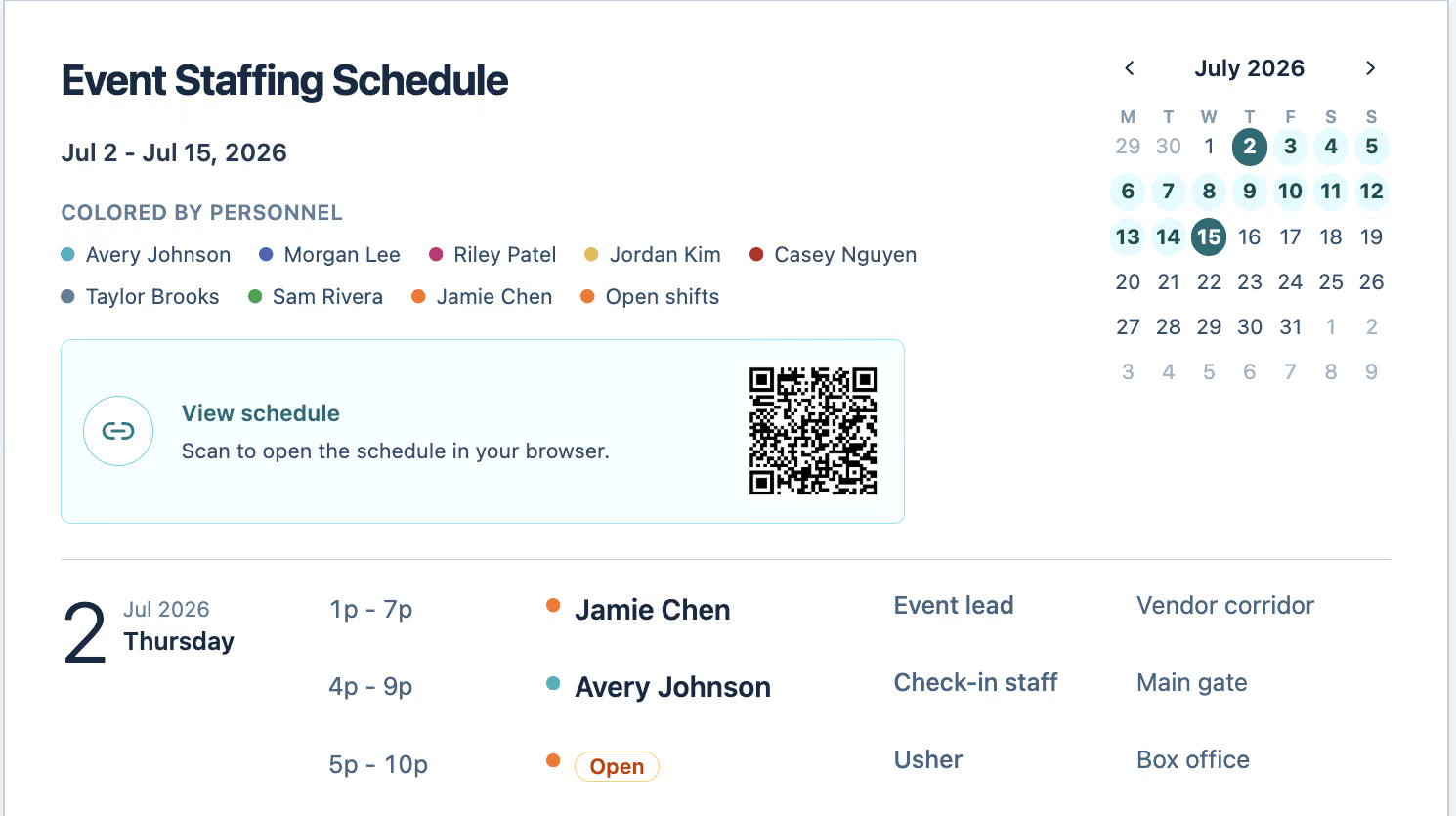
Populated schedule preview
Demo examples:
MoreFrom blank schedule to shared link in three steps.
Builder turns schedule setup into something your team can actually use—online, on paper, or from a phone.
Set up your schedule
Add your schedule name, personnel, worksites, and positions.
Create shifts
Build shifts with times, roles, locations, assignments, and open spots.
Publish and share
Create a read-only link, print the schedule, and include a QR code for phone access.
Builder gets the schedule shared. Pro keeps it covered and everyone aligned.
See the upgrade pathStart with a demo, spreadsheet, or blank schedule.
Use a realistic example, bring your setup data with you, or begin with a clean slate. Every path opens the same free Builder.
Try a demo schedule
Open a realistic schedule and see how setup, shifts, and publishing work.
Import from spreadsheet
Upload your people, worksites, and positions to get started faster.
Start from scratch
Create a blank schedule and build it manually.
Create and share for free. Coordinate live work with Pro.
Builder handles schedule creation, publishing, and printing. When staff need to confirm shifts, drop them when allowed, respond to live changes, or coordinate in chat, ShiftDispatch Pro keeps everyone in sync.
Explore a schedule type your team already recognizes.
Demos reduce blank-page setup and help coordinators move from intent to a working weekly schedule.
No signup required
Drafts stay in your browser
Printable schedules
Editable demos
Share a schedule your team can open from anywhere.
Once your schedule is ready, publish a read-only link you can text, email, or post. Print the schedule with a QR code so staff can scan it and open the published version from their phones.
Need staff to get notified when something changes?
Use Pro for live updates, confirmations, mobile notifications, announcements, direct messages, and team conversations.
Publish a read-only link
Text, email, or post a schedule URL your team can view without editing.
Print with QR code
Post a paper schedule with a QR code staff can scan from their phones.
Keep editing privately
Keep making changes in your browser and publish when the next version is ready.
Builder creates the schedule. Pro coordinates the team.
Use Builder to create, publish, print, and share. Move to Pro when schedules change live, staff need to confirm shifts, drop them when allowed, or move communication beyond the printed page and scattered text threads.
ShiftDispatch Builder
Create schedules
Import spreadsheet setup data
Add people, worksites, and positions
Create and assign shifts
Publish read-only links
Print schedules with QR codes
Save drafts in your browser
ShiftDispatch Pro
Staff mobile access
Live schedule updates
Shift confirmations
Open shift management
Shift drops when allowed
Notifications
Coverage visibility
Assignment tracking
Announcements
Direct messages
Group conversations
Upgrade when coordination becomes active—not before.
Start free. Upgrade when coordination gets harder.
Use Builder to create, publish, and print your first schedule. Move to Pro for confirmations, open-shift coverage, shift drops when allowed, notifications, live updates, chat, and schedule conversations in one place.