
Build the schedule. Keep every change in sync.
ShiftDispatch helps staffing coordinators and operations managers create and publish schedules, then keep staff, updates, confirmations, open shifts, and coverage aligned as the workday changes.
No signup required for Builder. Pro adds cloud workspace storage and staff coordination.
Want to click around first? .

Built for teams coordinating staff across changing worksites, roles, and coverage needs.
One schedule. From planning to live operations.
Builder creates and shares the plan. Pro keeps staff, updates, and coverage connected after the schedule changes.
Create and distribute the schedule.
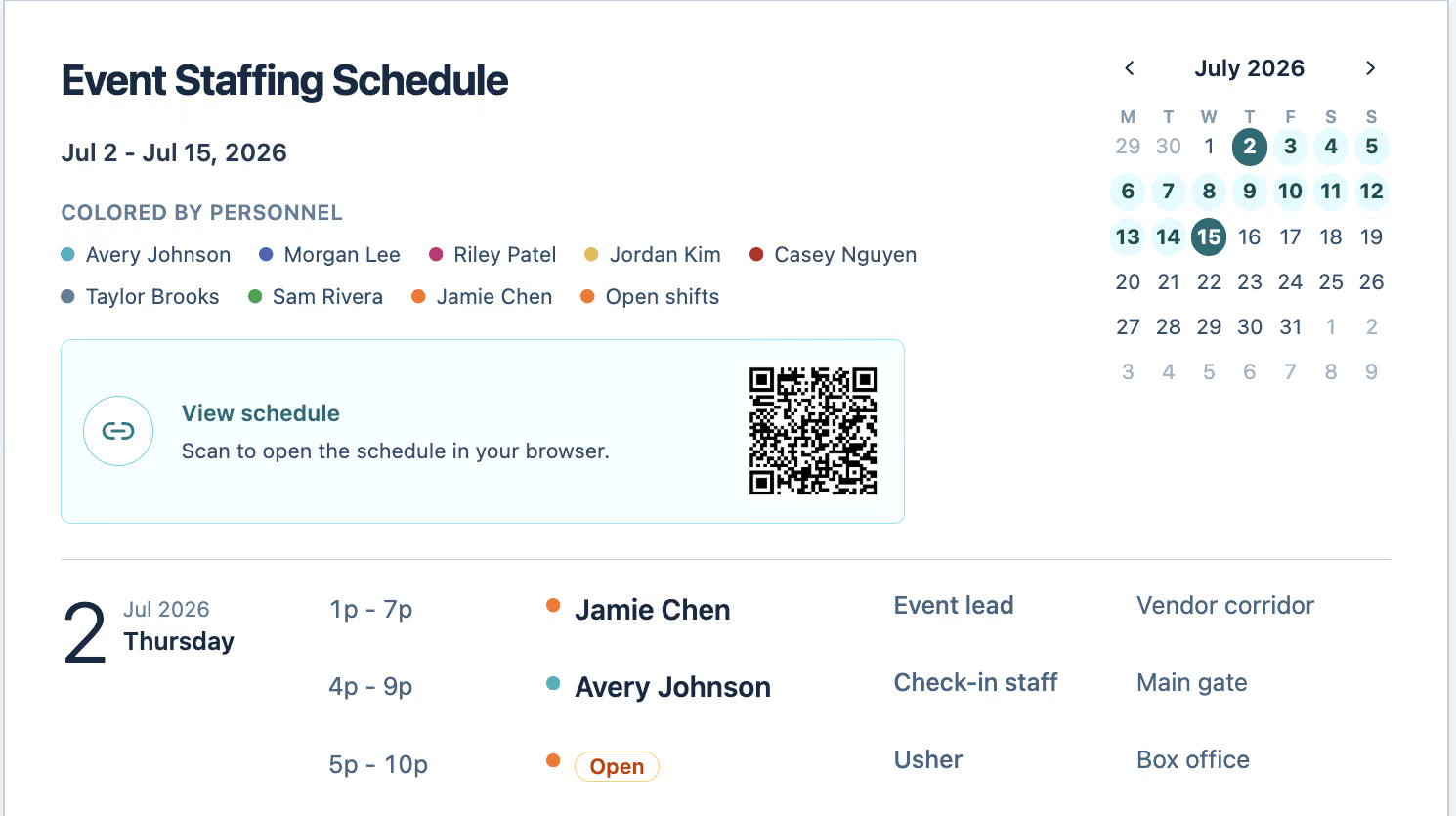
Build schedules, import spreadsheet setup, print weekly plans, and publish an expiring read-only link with a QR code. Drafts save locally in your browser.
Keep the workday running.
Add cloud workspace storage, staff mobile access, notifications, reminders, confirmations, open-shift coverage, messaging, and live schedule updates.
The schedule changes. The texts start flying.
A schedule can be correct when it is published and outdated an hour later. ShiftDispatch keeps the plan and the coordination around it in one operational workflow.
Staff work from an outdated schedule or screenshot.
Coverage changes get buried in scattered texts.
Coordinators chase replacements and confirmations manually.
Builder gets the schedule shared. Pro keeps the day running when plans change.
From schedule draft to coordinated workday.
Build the plan, share it clearly, then keep the team aligned when shifts, assignments, or coverage change.
Build the plan
Add staff, worksites, positions, and shifts in a practical schedule.
Publish and share
Print it or publish an expiring read-only link with a QR code.
Notify and confirm
Send relevant updates and reminders, then track staff confirmations.
Fill and coordinate
Surface open shifts and keep coverage changes and communication connected.
Need confirmations, reminders, staff updates, or open-shift coverage? That is where Pro begins.
Compare Free and Pro
Staff can check the current schedule from the field.
Give staff one place to see their shifts—and what changed.
With Pro, staff can open their mobile schedule, review assignments, see available open shifts when claiming is enabled, confirm upcoming work, and receive schedule updates and reminders.
Simple text-message login
Mobile schedule access
Open shift claiming when allowed
Upcoming work confirmations
Schedule updates and reminders
Chat and team announcements
Create and share a useful schedule for free.
Build schedules, start from a spreadsheet or template, print weekly plans, and publish an expiring read-only link with a QR code. Drafts are saved locally in your browser, and no account is required.
Published schedule changed?
Pro adds staff notifications, confirmations, reminders, open-shift coverage, and live schedule updates.
Keep staffing conversations connected to the work.
Use announcements, group conversations, and direct messages to keep coverage questions and schedule updates in the same workspace as the current plan.
Announcements for operational updates
Group conversations for active teams
Direct messages for specific questions
Schedule context without scattered texts

Coverage questions and schedule updates stay in context.
Start with the schedule. Add live coordination when you need it.
Use Builder to create, print, publish, and share for free. Choose Pro when staff need mobile access and the team needs help coordinating updates, confirmations, communication, and coverage changes.