
Staff every entrance, floor, and check-in point—and keep the crew current.
Plan call times for event leads, registration staff, ushers, and relief coverage. Share one crew schedule and respond quickly when the event plan changes.
The event staffing demo opens in Builder without signup. Pro keeps the crew current when call times or assignments move.
When call times change, every venue zone feels it.
Every event has a different shape
Event staffing changes by venue, date, check-in point, floor, and role.
Last-minute gaps matter
A late cancellation can leave a gate, registration desk, or floor position uncovered.
Instructions get scattered
Crew members need the current time, location, and assignment without searching old messages.
Keep the staffing plan aligned with the event plan.
Plan the right roles and locations
Schedule event leads, check-in staff, ushers, and relief coverage across venue areas.
Share one clear schedule
Publish a read-only schedule link or print a QR-coded plan with Builder.
Respond when the event plan moves
Use Pro to manage open shifts, mobile access, reminders, confirmations, and messages.
Review every venue assignment before doors open.
Check venue coverage by day, role, and check-in point, then publish one crew schedule that staff can open from the printed QR code.
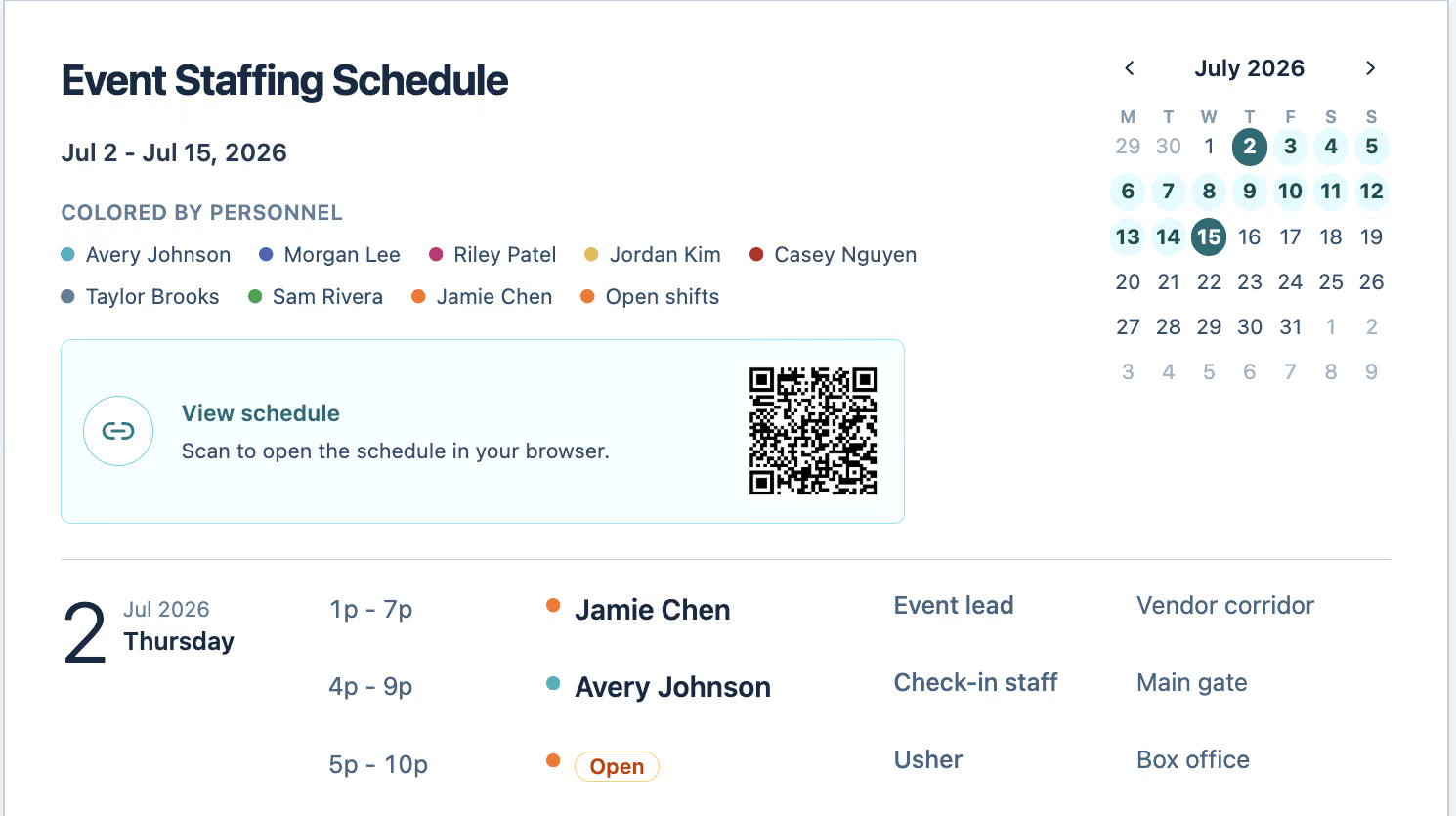
Publish the crew schedule.
Build call times by venue area and role, then print the crew schedule or publish an expiring read-only link with a QR code. Drafts stay in this browser.
Adapt when the event plan changes.
Keep staff current with mobile access and use open shifts, live updates, confirmations, reminders, notifications, and messages when assignments move.
Event staffing scheduling questions
What should event staff scheduling software organize?
Event staff scheduling software organizes call times, venue areas, roles, assigned crew members, and open shifts so event operations can work from one current staffing plan.
Can I schedule different roles for the same event?
Yes. ShiftDispatch can organize shifts by venue area, worksite, position, and assigned staff.
How can ShiftDispatch help with last-minute event changes?
Pro adds open-shift workflows, staff mobile access, confirmations, reminders, notifications, and messaging.
Can event staff view call times without creating an account?
Yes. Builder can publish an expiring read-only schedule link and include a QR code in the printed plan, so crew members can review the shared schedule without a ShiftDispatch account.
Can ShiftDispatch schedule multi-day or recurring events?
Yes. Shifts can be created across different dates, venue areas, and roles, making the schedule suitable for multi-day events or recurring event staffing patterns.
Does ShiftDispatch recruit or credential event staff?
No. ShiftDispatch does not currently provide applicant tracking, credentialing, payroll, or event ticketing.
Related industries
Security staffing
Schedule guards across posts and worksites while keeping open coverage visible.
Explore security staffingHospitality
Create and share schedules across front desk, dining, counter, and shift-lead roles.
Explore hospitality